November 20, 2026
Conference room meetings depend on reliable technology to keep conversations productive and presentations running smoothly. However, poor sound quality, unclear displays, and frustrating connection problems can quickly make meetings awkward. These issues are especially disruptive when employees collaborate with remote participants or share important information.
A quick equipment audit can help identify problems before they interrupt an important meeting. By evaluating displays, audio components, connectivity, software, and room layout, you can determine which improvements will make the biggest difference. Understanding how your audio video systems work together also makes it easier to recognize outdated equipment.
Understanding the Basics of AV Equipment
Recognizing the Role of AV Technology
Audio-visual equipment supports communication by allowing meeting participants to share information, hear conversations, and interact with colleagues. Displays, microphones, speakers, cameras, and conferencing software all contribute to a functional meeting environment.
Reliable audio video systems are particularly important for hybrid meetings, where remote employees need the same opportunities to participate as those physically present. Clear communication helps prevent misunderstandings and keeps discussions moving.
Identifying Common Setup Mistakes
Several configuration mistakes can interfere with conference room performance. Microphones may be positioned too far from participants, displays may be difficult to see, or outdated software may prevent devices from connecting. Tangled cables and incompatible connections can also create unnecessary delays.
Understanding the Value of Regular Audits
Regular equipment evaluations help businesses identify performance problems before they disrupt important meetings. They also provide opportunities to check firmware, software compatibility, and equipment condition. According to IBIS World, the overall industry revenue of audio and visual equipment was expected to climb at a CAGR of 2.5% to $10.6 billion through the end of 2024. This growth reflects the continued importance of AV technology across business environments.
Evaluating Visual Displays and Visibility
Checking Screen Size and Placement
Start by checking whether everyone can comfortably see the primary display. Screens should be large enough for participants at the back of the room to read presentations without straining. Their height and placement should also provide clear sightlines from different seating positions.
Reviewing Resolution and Display Quality
Examine the display for blurry text, distorted images, and inconsistent picture quality. High-definition and 4K screens can make presentations, spreadsheets, and video conferences easier to follow. Check resolution settings and test the screen using different types of content.
Adjusting Brightness and Managing Glare
Lighting conditions can significantly affect screen visibility. Adjust brightness settings and examine the screen from different seating positions. Blinds, repositioned lighting, or anti-glare treatments may help reduce reflections and improve visibility.
Testing Screen Sharing and Connectivity
Test wired and wireless screen-sharing options to confirm employees can connect their devices without unnecessary delays. Check compatibility with commonly used laptops and mobile devices, and verify that wireless receivers respond consistently. Reliable audio video systems should make sharing presentations straightforward for everyone using the room.
Inspecting Audio Components and Sound Quality
Testing Microphone Quality and Placement
Audio problems can make even a well-organized meeting difficult to follow. Test microphones from different seating positions. Participants should be able to speak naturally without raising their voices or moving uncomfortably close to the equipment. Listen for muffled speech, inconsistent volume, and background noise.
Evaluating Speaker Placement and Volume
Speakers should distribute sound evenly throughout the conference room. Test different volume levels and confirm that remote participants can be heard without distortion. Properly configured speakers help maintain consistent communication throughout the meeting.
Identifying Echoes and Audio Feedback
Echoes and feedback can make conversations frustrating. Hard surfaces often reflect sound, while poorly positioned microphones and speakers can create feedback loops. Acoustic panels, microphone adjustments, and improved speaker placement may help resolve these problems.
Checking Audio Compatibility
Verify that microphones, speakers, and other audio devices work with the conferencing platforms employees regularly use. Test different laptops and operating systems to identify compatibility issues before they affect an actual meeting.
Compatible audio video systems can simplify transitions between conferencing platforms and reduce setup difficulties.
Reviewing Cables and Connection Performance
Identifying Essential Cables and Connectors
Check the cables connecting displays, microphones, computers, and other equipment. HDMI, USB, and Ethernet connections are common in conference rooms, but specific installations may require additional connectors. Make sure necessary cables are available, properly labeled, and compatible with connected devices.
Organizing Cables and Preventing Clutter
Tangled cables create an unprofessional appearance and make equipment harder to maintain. Cable trays, clips, and other management solutions keep connections organized and accessible. Removing unnecessary clutter also reduces tripping hazards and makes troubleshooting easier.
Testing Connection Stability
Inspect connectors for loose fittings, visible damage, or signs of wear. Test wired and wireless connections to confirm presentations, video calls, and shared content remain stable. If a connection repeatedly drops, try another port or cable to identify the source of the problem.
Evaluating Wireless Connectivity
Wireless technology can reduce cable clutter and give employees greater flexibility when connecting devices. However, wireless connections depend on reliable signals and compatible hardware. Test wireless presentation tools from different areas of the room and check for delays or interruptions.
Assessing Software and User Interfaces
Confirming Software Compatibility
Conference room equipment must work with the software employees use for everyday communication. Review conferencing applications, operating system requirements, and device compatibility to identify potential conflicts. Testing these connections helps prevent problems when employees switch between platforms.
Simplifying Controls and Interfaces
Complicated control panels can make meetings unnecessarily stressful. Employees should be able to start presentations, adjust volume, and connect devices without navigating confusing menus. Clearly labeled buttons and intuitive interfaces make audio video systems easier for employees with different levels of technical experience to operate.
Updating Software and Testing Features
Check whether conferencing applications, device drivers, and equipment firmware need updates. Updates can address software bugs, improve compatibility, and provide important security improvements. Also test frequently used features, including screen sharing, camera controls, and calendar integrations. Keeping these components updated helps maintain dependable audio video systems as business needs change.
Improving Room Layout and Meeting Comfort
Arranging Furniture for Better Interaction
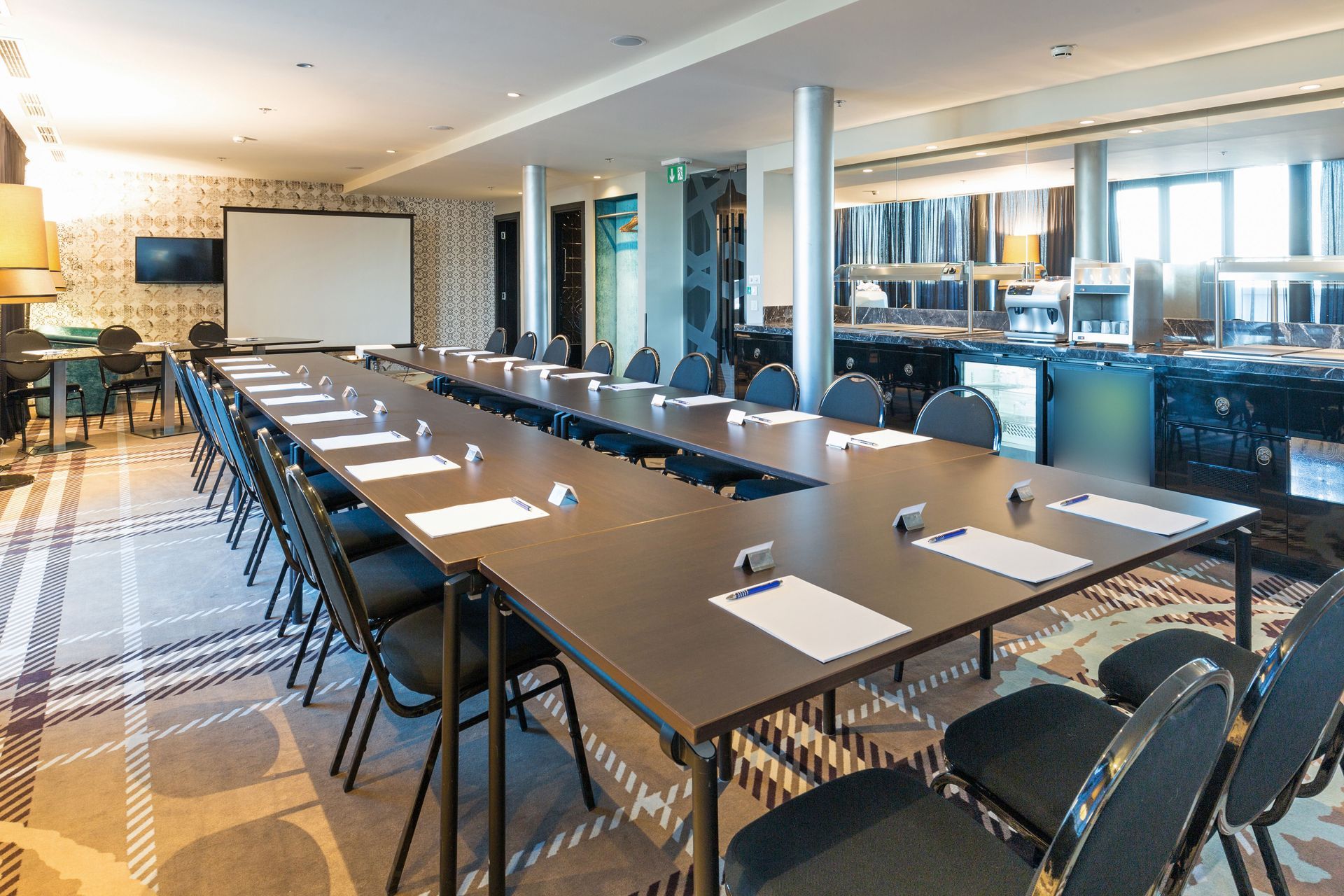
Furniture placement affects how easily participants communicate and interact with shared displays. Seating should provide clear sightlines while allowing attendees to see one another. Consider whether tables, chairs, or other obstacles interfere with microphone coverage or camera views.
Evaluating Accessibility and Comfort
Conference rooms should accommodate participants with different mobility and accessibility needs. Check that walkways remain clear, seating arrangements provide adequate space, and controls are positioned within convenient reach. Comfortable furniture also helps employees remain focused during longer meetings.
Checking Room Acoustics and Lighting
Room acoustics influence how clearly participants hear one another. Hard floors, glass walls, and other reflective surfaces can create distracting echoes. Acoustic treatments may improve sound quality by reducing unwanted reflections.
Lighting should support both presentations and video conferencing. Adjustable fixtures allow employees to balance screen visibility with sufficient illumination for participants to remain visible on camera.
Matching Equipment to Room Dimensions
The room's size and shape should influence equipment selection and placement. A small meeting space may require different microphones, speakers, and displays than a large conference room. Matching technology to the physical environment helps prevent recurring performance problems.
Creating a More Reliable Conference Room Experience
A 15-minute AV equipment audit can reveal many of the issues that make conference room meetings awkward or unproductive. Checking displays, microphones, speakers, connections, software, and room layout provides a useful starting point for improving collaboration.
However, recurring technical difficulties may indicate that individual adjustments are no longer enough. Businesses looking to improve their meeting environments can work with Audio Video Integrations to evaluate their needs and explore solutions that support dependable communication.
With properly configured audio video systems and a comfortable meeting space, businesses can reduce technical interruptions and create an environment where employees and remote participants communicate more effectively.